Turn written text into natural-sounding speech on Android
Luvvoice AI Voice, by luvvoice dev, turns written material into expressive spoken audio for narration, hands-free reading, and voiceover tasks. The app uses advanced AI vocal synthesis to generate human-like intonation from plain text, aimed at producing listenable output for long documents and short clips. Its design targets creators, students, and accessibility users who need an accessible way to convert reading material into audio you can use in projects or on the go.

Unlock your creativity with Adobe Stock
Get 10 images or 1 video with a free trial
Luvvoice focuses on producing expressive, human-like speech from text
You give the app text and it returns spoken audio that emphasizes natural cadence, because it uses deep learning text-to-speech models to shape intonation and emotional tone. That means you can prepare voiceovers, narrated lessons, or audiobooks without recording yourself. The app positions those outputs as ready-to-use assets, reducing the time you spend on manual narration and letting you focus on scripting and pacing instead of raw recording.
It handles common document formats and broad language coverage
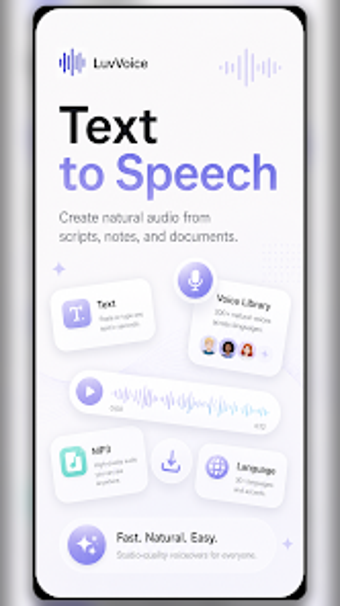
For importing source material, the app accepts document types that matter to creators and students, including PDF, TXT, DOCX, and EPUB. You also get extensive multilingual support, with more than 70 languages and dialects and a library exceeding 200 distinct voices. That combination helps you convert course notes, ebooks, and articles into spoken files that match different regional accents and intended audiences.
Production workflow supports chaptered audiobooks and downloadable output
The tool organizes long-form material into chapters for audiobook-style projects and produces downloadable MP3 files for offline use, which fits common content workflows. Cross-platform synchronization via a shared account keeps projects accessible between mobile and web. These workflow pieces let you build a narrated production from import through export without moving between unrelated apps during the bulk of the process.
Accessible entry point with scalable options for creators
The interface gives quick access for newcomers while exposing adjustable controls such as speed, pitch, and emotional tone for deeper tweaking. The app can also create a cloned voice from a short recording, ideally around ten seconds. Advanced capabilities are available through an account-gated tier, so your access to higher limits and certain features depends on that level of access.
Good entry option for creators who need fast, listenable narration
You should consider this app if you want an approachable route from text to spoken audio without investing in recording sessions; it serves as a practical gateway into produced narration. Expect a trade-off when your workflow demands fine-grained audio engineering or unrestricted advanced features, in which case dedicated audio production tools may be more suitable for detailed sound work.